 KeyEar
Play now
KeyEar
Play now
KeyEar: Learn piano
By ear
Train your ear, then put it to work on real songs. In time, you will hear a song and know which notes to play.
Test it early
KeyEar is coming to iPhone, iPad, and Android. Sign up to try it before launch, with the full version unlocked for free on every device.
We'll email you a link to confirm. After that we only write about testing KeyEar, and you can leave the list at any time. See the Privacy Policy.
What KeyEar does
Play your way
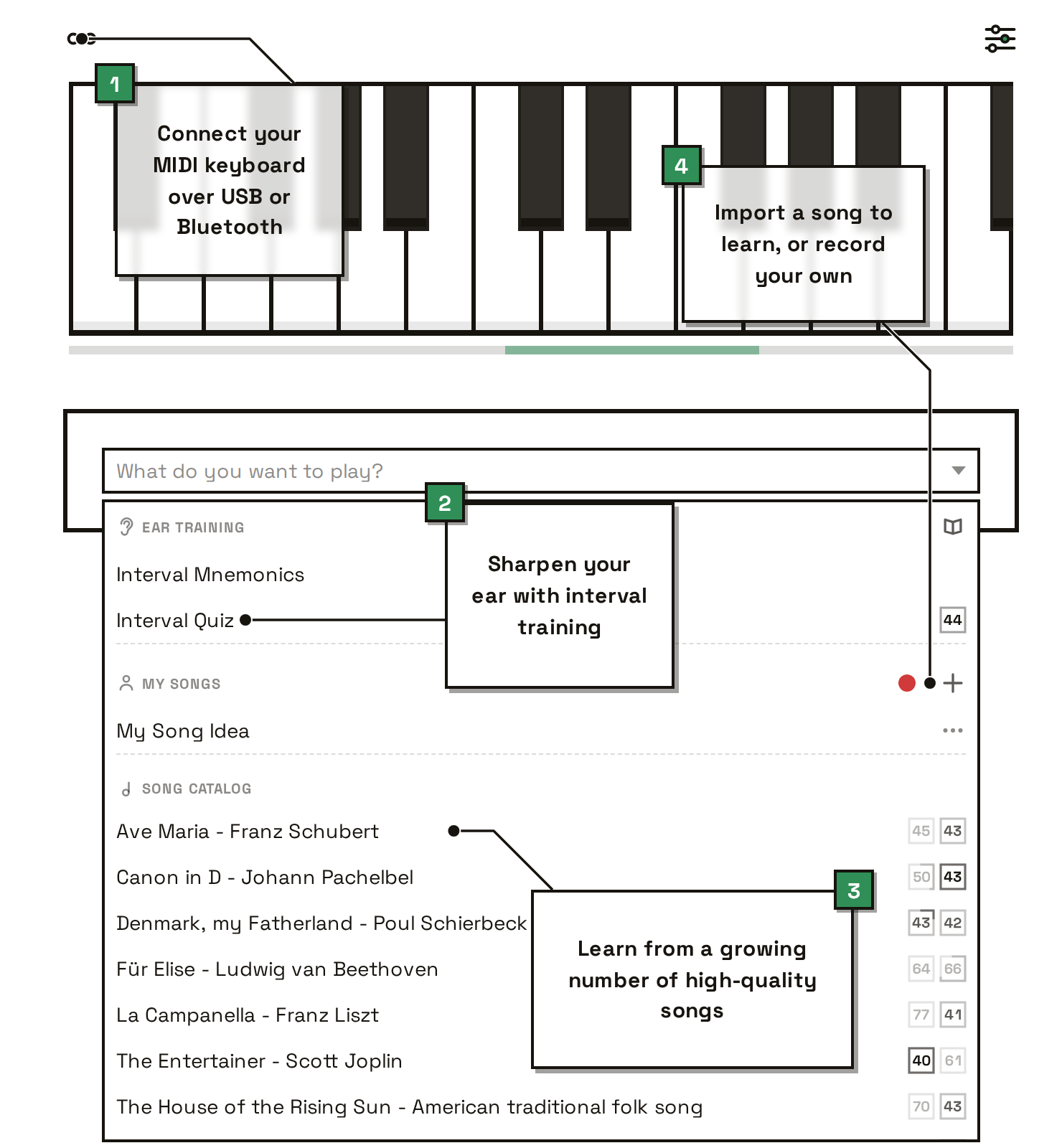
Use a mouse, a touchscreen, or a MIDI keyboard connected by USB or Bluetooth.
Train your ear
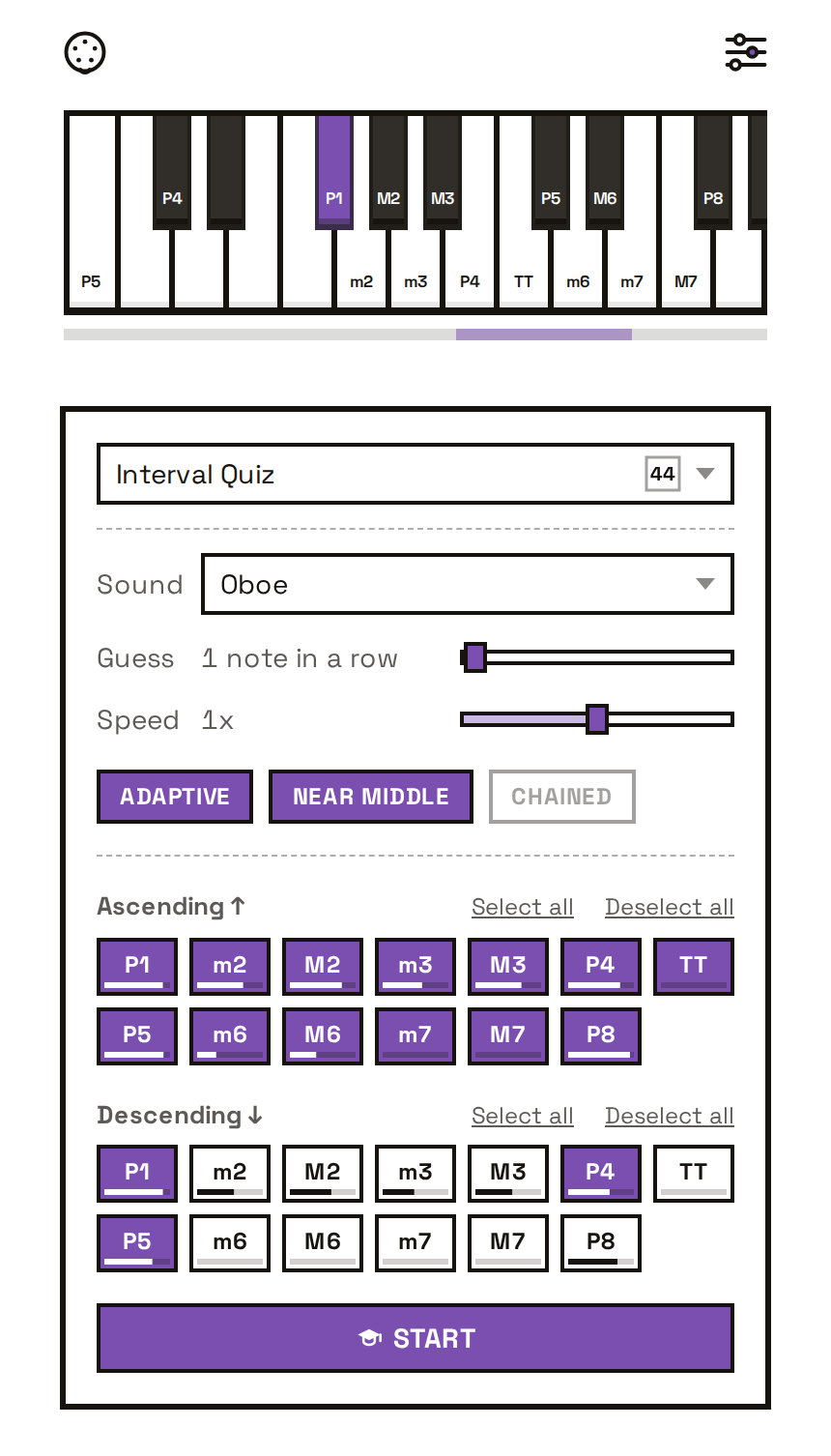
Practice the intervals songs are built from, until you can recognize each one by ear.
Learn real songs
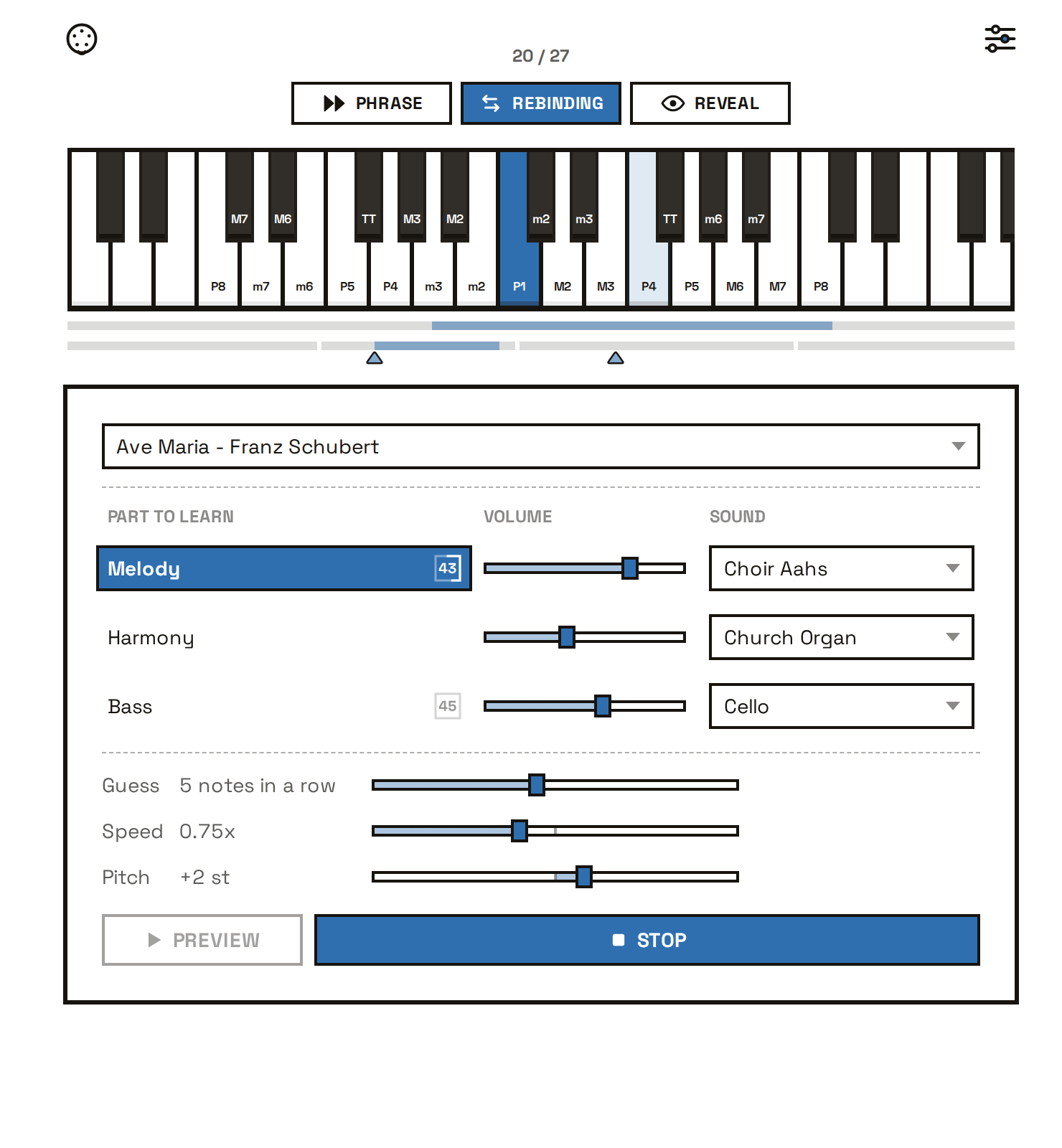
Guess each note by ear, one hand at a time. Bring your own songs as audio, MIDI, or sheet music.
What it costs
€0 forever
The whole ear-training half of the app.
- An interactive guide to relative pitch
- A tune you already know for every interval
- MIDI keyboard support
- Interval quizzes, ascending and descending
- Adaptive practice that targets the intervals you miss
- Skill tracking, overall and per interval
- One song to learn: Canon in D
No account, no trial period, no ads.
Play nowFree during the beta
Everything in Free, plus the music.
- The full song catalog, including future songs
- Songs imported from MIDI files and sheet music
- Songs transcribed from audio, right on your device
- Recordings of your playing
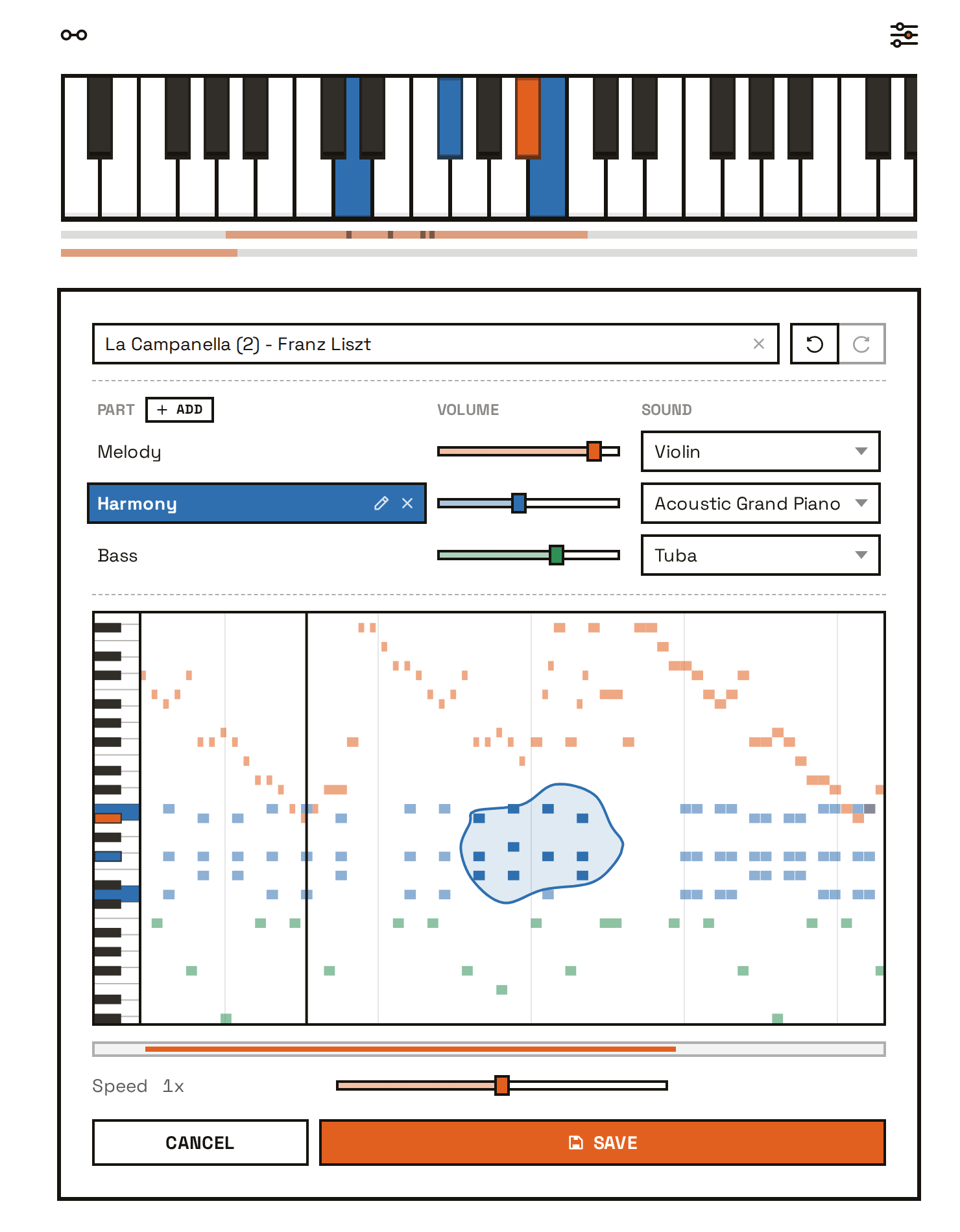
- Song editing, and sharing of MIDI and MP3 files
Early testers get it free on Web, iOS, and Android.
Join the betaFAQ
I can't read sheet music. Is that a problem?
No. Instead, you build relative pitch: hearing how far one note sits from the next, and finding it without being told. That is the skill behind picking up a melody you just heard and playing along with other people. Anyone can learn it, at any age.
Can I use my own songs?
Yes. That part is in the full version, and it works in three ways:
- MIDI files (.mid, .midi) import directly.
- Sheet music as MusicXML (.musicxml, .mxl, .xml), which is what MuseScore, Finale, Sibelius, and Dorico export.
- Audio (MP3, WAV, M4A, OGG, FLAC, AAC). KeyEar transcribes a recording into playable notes automatically, on your own device.
You can also record yourself playing on a connected keyboard, then practice it like any other song.
Any of your songs can be edited, split into parts, and shared as a MIDI or MP3 file.
Do I need a MIDI keyboard, and will mine work?
No. A mouse or a touchscreen is enough, but a MIDI keyboard gives the best experience. Any MIDI keyboard with USB or Bluetooth works. Try yours on the free version of the app.
Search for your piano below to see how well it works with KeyEar. For many models we've also looked up the built-in sounds, so songs can play on your own instrument's sounds.
| Piano | Support |
|---|
Do I have to buy it again for iOS or Android?
No. Sign in with the same email on any platform and your purchase unlocks the full app there too. One purchase covers web, iOS, and Android.
Why are there separate iOS and Android apps, not just the website?
Two reasons: wider MIDI keyboard support and faster transcription. The iPhone browser can't connect to MIDI keyboards at all, and the Android browser misses Bluetooth and some USB keyboards. Everything else works the same in the browser.
Are my songs uploaded anywhere?
No. Everything you import, record, or transcribe stays on your device unless you share it.
Sit down and try it
It runs in the browser. Nothing to install, and nothing to sign up for.
Play now